After-Hours Business Calls: What Happens? | SunStar
Your office may close at 5 PM. Your customers' problems don't.
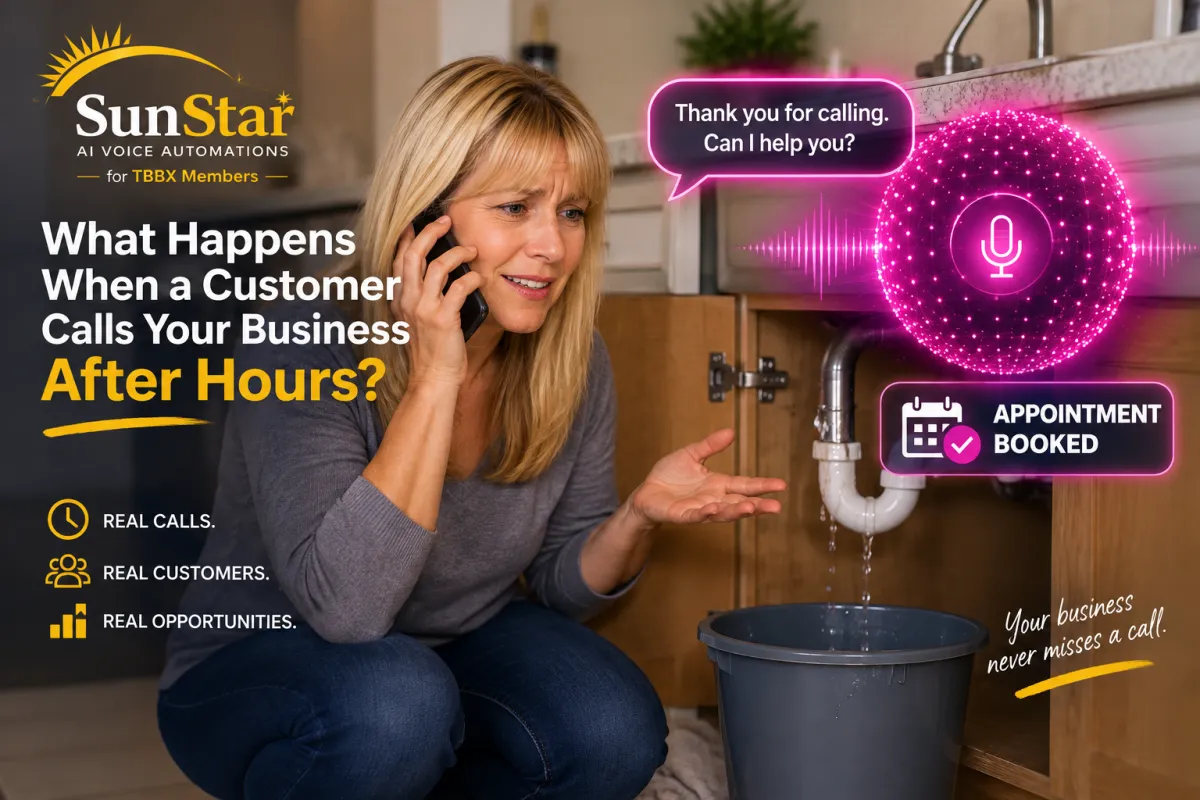
Imagine a homeowner discovering a leaking pipe at 8:30 PM. They search online, find your plumbing company, and call.
Nobody answers.
They hear voicemail, hang up, and call another company.
It's a scenario that illustrates why after-hours call handling matters for service businesses.
But voicemail isn't the only option anymore.
Businesses can use traditional answering services, call forwarding, online forms, and AI receptionists to handle inquiries outside regular operating hours.
Let's examine how these options work and what customers experience when they call.
Why Do Customers Call Businesses After Hours?
Not every customer can call during regular business hours.
Some people work all day. Others discover problems in the evening or over the weekend.
Examples include:
A homeowner notices an air conditioner isn't cooling.
A customer discovers a leaking pipe.
Someone needs an electrician to inspect a faulty outlet.
A homeowner notices signs of termites.
A property owner discovers a roof leak after a storm.
Some situations require immediate assistance. Others can wait until the next business day.
The important thing is providing customers with a clear way to explain their needs and understand what happens next.
Option 1: Send Calls to Voicemail
Voicemail is a simple way to receive messages when nobody is available.
Customers hear a prerecorded greeting and can leave their name, phone number, and reason for calling.
Advantages
Simple to set up
Familiar to most customers
Allows callers to leave messages
Limitations
Some callers hang up without leaving a message.
The business must listen to and return messages.
Customers cannot have an interactive conversation.
Appointments generally cannot be booked through ordinary voicemail.
Voicemail can work for businesses with low call volume, but it may be less convenient for customers who need immediate answers.
Option 2: Use a Traditional Answering Service
A traditional answering service employs people to answer calls on behalf of businesses.
Depending on the service and its instructions, an operator may take messages, answer basic questions, or transfer urgent calls.
Advantages
Human interaction
Ability to follow call-handling instructions
Potential support for urgent-call escalation
Limitations
Coverage and services vary by provider.
Appointment booking may require additional arrangements.
Operators may not know every detail about your business.
Pricing may depend on call volume, duration, or service level.
Traditional answering services can be appropriate for businesses that prefer human operators.
Option 3: Use an AI Receptionist
An AI receptionist is a conversational system that answers phone calls and responds to customers using artificial intelligence.
Instead of asking callers to leave a message, the assistant can ask questions and respond based on the business information and instructions it has been given.
For example, an AI receptionist might say:
"Thank you for calling. How can I help you today?"
The customer can explain the situation naturally.
Depending on the configuration, the assistant can then collect contact information, answer approved questions, and help arrange the next step.
The AI receptionist doesn't replace the plumber or diagnose every problem. It helps the business handle the initial conversation.
See It in Action: An After-Hours Plumbing Call
Imagine a homeowner discovering water beneath their kitchen sink after the plumbing company's office has closed.
They call the business.
Instead of reaching voicemail, an AI receptionist answers and asks how it can help.
The caller explains that water is leaking beneath the sink.
The assistant can gather information such as:
The customer's name and phone number
The service address
A description of the problem
Whether water is actively leaking
The customer's preferred appointment time
If configured with the appropriate scheduling integration, the assistant can help arrange an available appointment.
For an active leak, it should follow the company's approved safety and emergency instructions rather than promising immediate service.
Watch our plumbing AI receptionist demonstration below.
Video caption: A demonstration of an AI receptionist handling a plumbing inquiry, collecting customer information, and helping schedule an appointment. Actual capabilities depend on the business's configuration.
Can an AI Receptionist Answer Calls 24/7?
An AI receptionist can be configured to answer calls around the clock, subject to the availability of its phone service and technology.
It can also be configured to handle only calls that come in after closing or when staff members are unavailable.
For example:
During business hours: Your team answers calls normally.
When your team is busy: Unanswered calls can be routed to the AI assistant.
After closing: Calls can go directly to the AI receptionist.
The exact routing depends on the business's telephone system and configuration.
What Information Can an AI Receptionist Collect?
An AI receptionist can ask questions relevant to the caller's needs.
For a home-service business, that might include:
Name
Phone number
Service address
Type of service requested
Description of the problem
Preferred appointment date
Whether the situation appears urgent
The information can be sent to the business through supported notifications or connected systems.
Businesses should configure the assistant to collect only the information necessary for the intended purpose and handle personal information appropriately.
Can an AI Receptionist Schedule an Appointment After Hours?
Yes, when it has the appropriate scheduling capabilities and calendar integration.
For example, a customer calls on Sunday evening and asks for an appointment on Tuesday.
The AI receptionist may be able to check available appointment times, offer an open slot, and create a booking.
The business can then receive the appointment information through its connected scheduling system.
If the assistant isn't connected to a calendar, it can still collect the customer's preferred time and request a callback.
An AI receptionist should never promise an appointment that the system hasn't actually confirmed.
What About Emergency Calls?
Emergency handling requires careful configuration.
An AI receptionist should follow the business's approved procedures for identifying urgent situations and directing callers appropriately.
For example, a plumbing company may want the assistant to identify active flooding and provide approved instructions about contacting its emergency service.
A business that doesn't provide emergency service should make that clear.
The assistant should not invent technician availability, guarantee an emergency response, or provide unsafe repair instructions.
Is an AI Receptionist Better Than Voicemail?
The two systems provide different experiences.
Voicemail records a message for someone to review later.
An AI receptionist can conduct a conversation, gather structured information, and potentially complete supported tasks during the call.
However, an AI assistant requires configuration, monitoring, and a process for handling situations it cannot resolve.
The appropriate choice depends on the business's needs, budget, call volume, and customer expectations.
Some businesses may use both: an AI receptionist as the primary after-hours option and voicemail as a fallback.
Frequently Asked Questions
Can an AI receptionist answer calls when my business is closed?
Yes. It can be configured to answer calls outside your published business hours.
Do I need to change my existing business phone number?
Not necessarily. Depending on your telephone provider, you may be able to forward calls from your existing number to the AI receptionist.
Can it book appointments overnight?
It can when connected to a compatible scheduling system with the necessary permissions.
What if a caller asks something the AI doesn't know?
The assistant should be configured to acknowledge its limitations, collect the caller's information, and arrange appropriate follow-up or escalation.
Will customers know they're talking to AI?
Businesses should clearly identify the assistant as AI so callers understand who—or what—is answering.
Your Office Can Close Without Ending Customer Communication
Business owners need time away from the phone.
Customers still need a reliable way to reach the business.
An AI receptionist can help bridge that gap by answering after-hours calls, gathering information, and supporting appointment requests according to the company's configuration.
At SunStar AI Voice Automations, we help businesses explore AI phone answering and automation designed around their operations.
Want to hear an AI receptionist handle a live demonstration?
Contact SunStar to learn more about AI voice assistants and how they can support your business.
AI features, integrations, call routing, and availability depend on the selected service and configuration.